Project Case Study
Containerized Website: Docker & Nginx
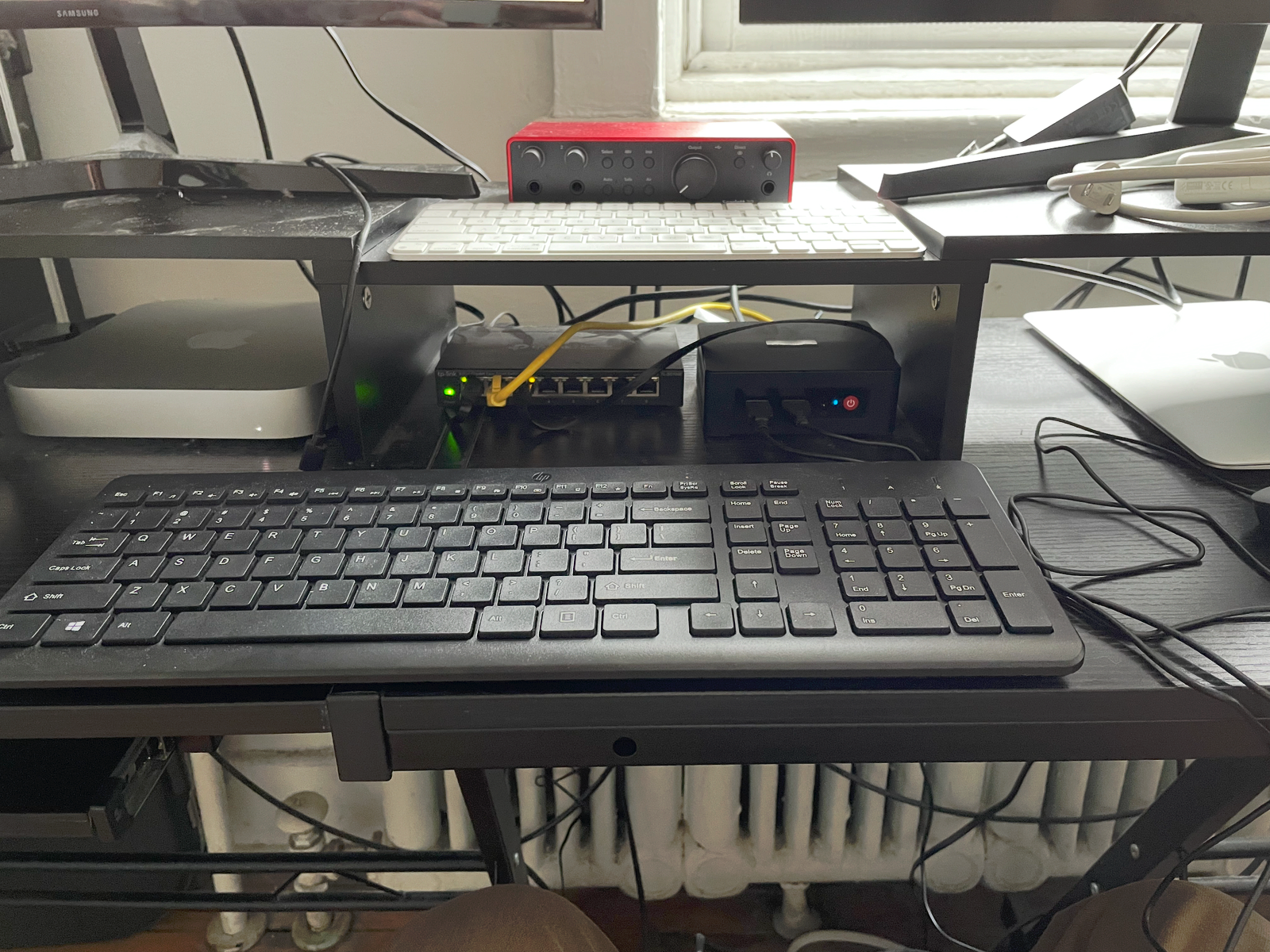
I built a custom Nginx image on a Beelink mini PC and served an HTML page locally through Docker.
Core stack
- Beelink mini PC
- Windows 11 host operating system
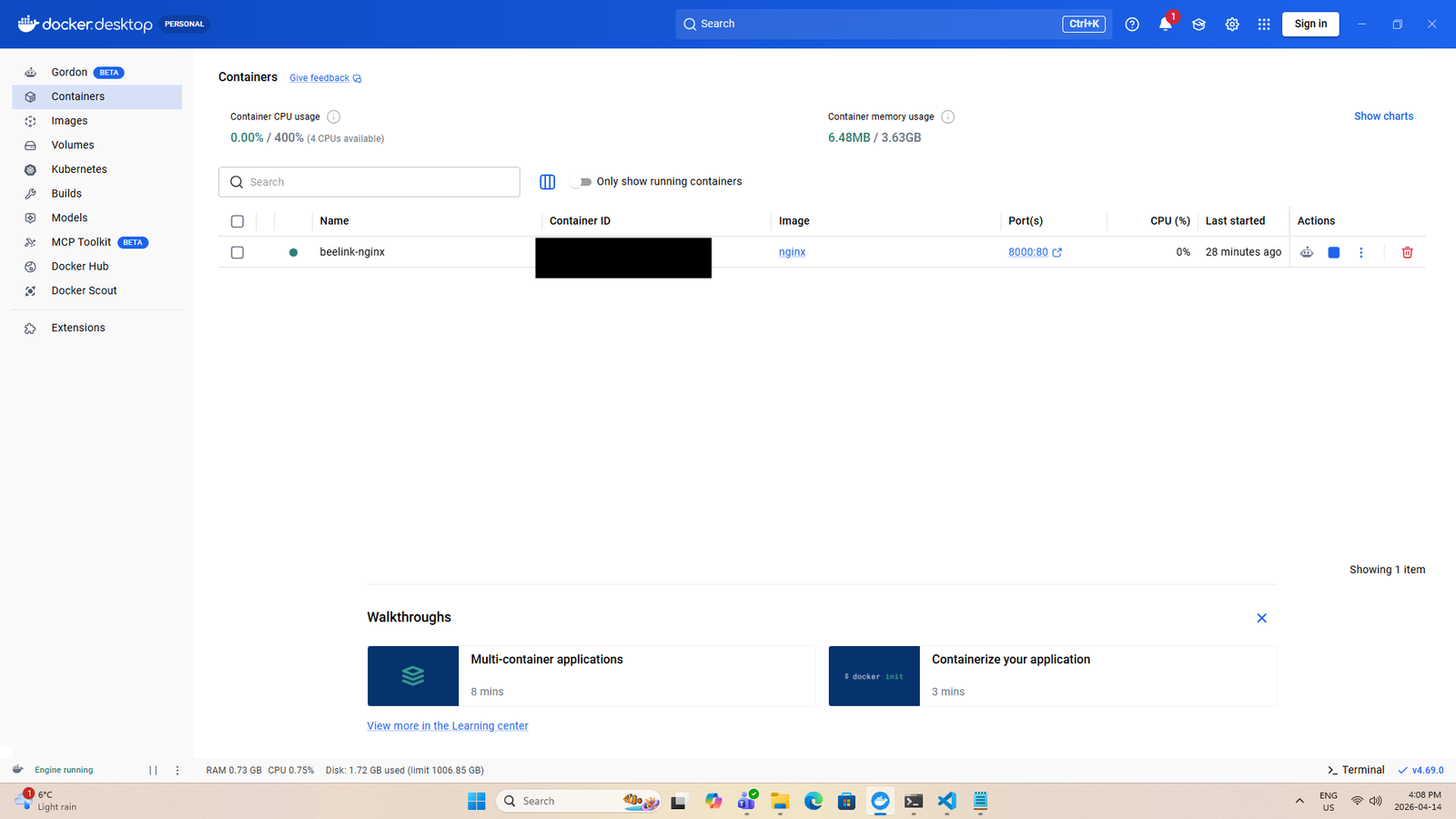
- Docker Desktop with WSL2 backend
- Nginx base image
- Custom
Dockerfile - Custom
index.htmlserved through the container - Browser based localhost testing
What I built
- Created a dedicated project folder for the containerized site.
- Built a simple custom HTML page to be served through Nginx.
- Created a Dockerfile to define how the image should be built.
- Built a custom image instead of relying only on the default Nginx image as is.
- Mapped host port
8080to container port80. - Stopped, removed, and recreated the container to apply changes properly.
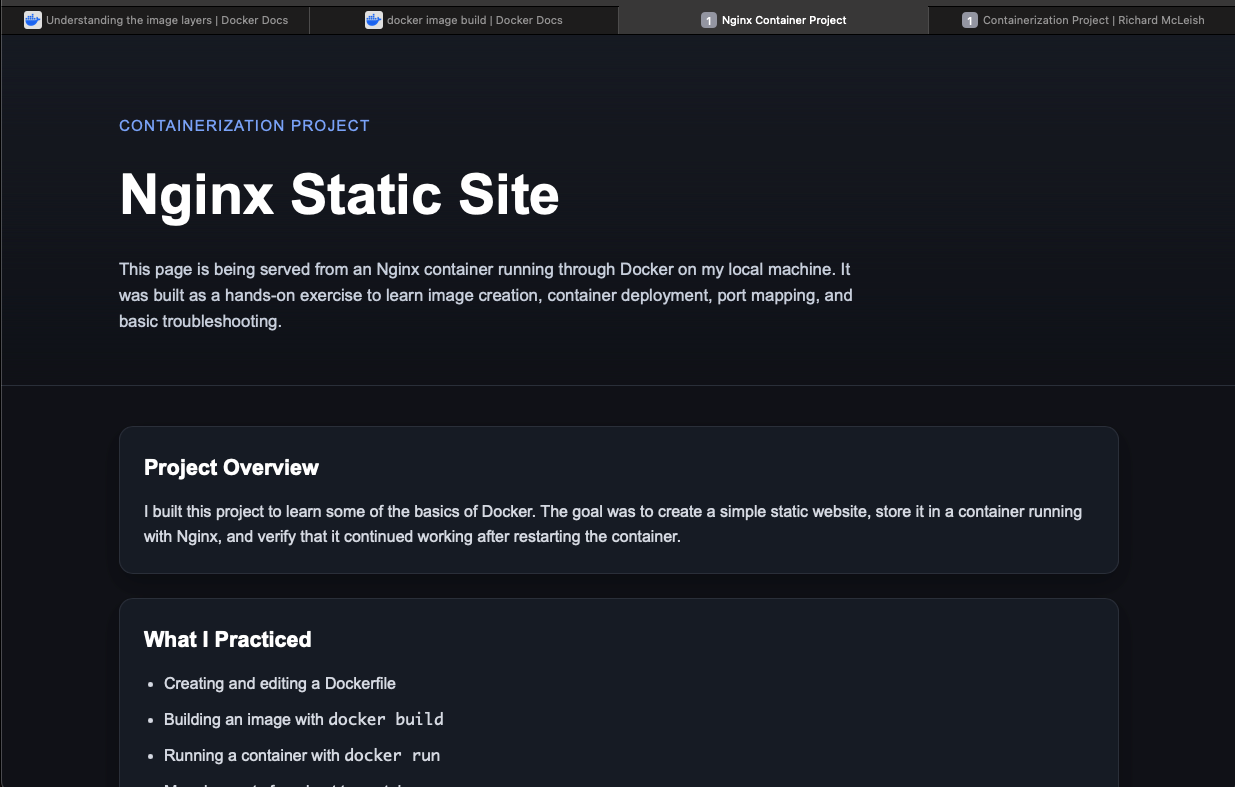
- Verified the page was loading successfully in the browser from the rebuilt container.
Issues I had to solve
I worked through missing files, incorrect paths, and container lifecycle errors.
- Learned that
docker runrequires an image name at the end of the command. - Learned that
docker stoprequires an existing container name or ID. - Hit a build failure because the project folder did not yet contain a
Dockerfile. - Corrected the Dockerfile after initially using the wrong nginx file path.
- Learned that a successful image build does not automatically update an already running container.
- Reinforced the difference between an image and a container through rebuilding and rerunning the project.
Commands I used
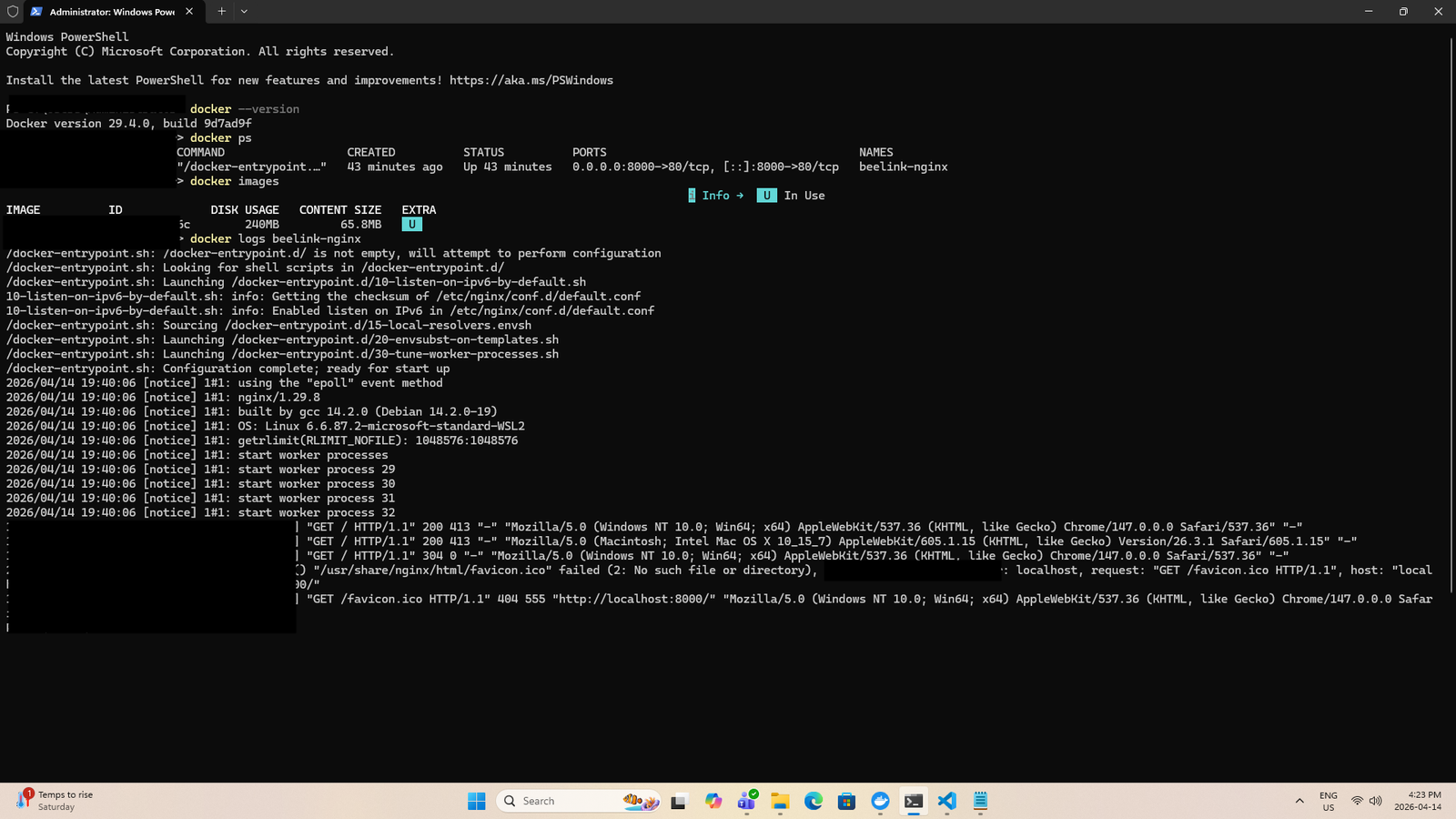
docker build -t beelink-nginx-site .docker stop beelink-nginxdocker rm beelink-nginxdocker run -d -p 8080:80 --name beelink-nginx beelink-nginx-sitedocker ps
Evidence
Proof snapshots
The host, Docker environment, running container, and browser result.
Next Stage
Where this project should go next
Docker Compose setup
Use Docker Compose to make builds and deployments easier to repeat.
Custom CSS in container
Add CSS and more pages to the containerized site.
Multi container growth
Explore a reverse proxy, persistent storage, and additional services.