Step 1
Network separation
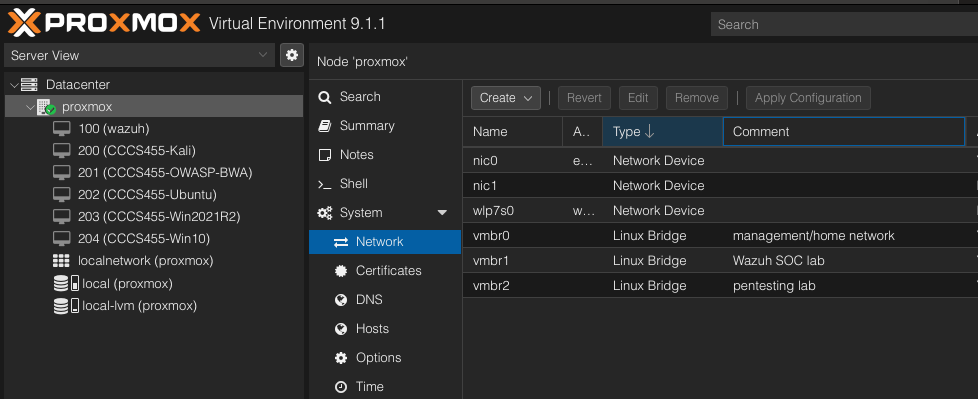
Kept vmbr0 for management, vmbr1 for Wazuh SOC traffic, and vmbr2 for the isolated pentesting lab.
Project Case Study
In Version 2 of my SOC lab, I expanded the original Proxmox and Wazuh setup by adding monitored Linux and Windows endpoints. The goal was to move beyond simply installing Wazuh and begin proving that the lab can collect endpoint telemetry, detect controlled test events, and support basic SOC-style investigation work.
Project Progression
This page documents the second stage of the SOC lab. Version 1 focused on infrastructure. Version 2 focuses on monitored endpoints, controlled test events, and Wazuh alert validation.
Proxmox installation, segmented bridges, Ubuntu Server deployment, Wazuh installation, dashboard access, and infrastructure troubleshooting.
View Version 1Ubuntu and Windows 10 endpoints connected to Wazuh, controlled test events generated, and alerts reviewed in the Wazuh dashboard.
Current PageThe objective of Version 2 was to turn the SOC lab from a working Wazuh installation into a basic monitoring environment with real endpoints. I used existing virtual machines from my Proxmox pentesting lab where possible, then added Wazuh agent communication over a dedicated SOC network.
vmbr2 while Wazuh agent traffic used vmbr1.10.10.10.0/24 network.The lab uses three separate Proxmox bridges. This keeps the management network, SOC monitoring path, and pentesting network separated. The Windows and Ubuntu endpoints have both a pentesting address and a SOC monitoring address.
vmbr0: Proxmox management / home network

vmbr1: Wazuh SOC lab

vmbr2: Pentesting lab

Wazuh manager SOC IP: 10.10.10.10

Ubuntu:

  vmbr2 pentest IP: 192.168.56.20

  vmbr1 SOC IP:     10.10.10.20

Windows 10:

  vmbr2 pentest IP: 192.168.56.30

vmbr1 SOC IP: 10.10.10.30This stage involved real troubleshooting. The setup did not work automatically, which made the project more valuable as a learning exercise.
10.10.10.10.systemctl by using legacy service commands.Version 1 proved that I could install and access Wazuh. Version 2 proves that I can connect actual endpoints, separate monitoring and testing networks, generate controlled activity, and review resulting alerts. That is much closer to the kind of workflow used in blue-team and SOC environments.
Build Breakdown
Version 2 focused on using the existing lab more intelligently: one network for testing, one network for monitoring, and Wazuh as the central point for endpoint visibility.
Step 1
Kept vmbr0 for management, vmbr1 for Wazuh SOC traffic, and vmbr2 for the isolated pentesting lab.
Step 2
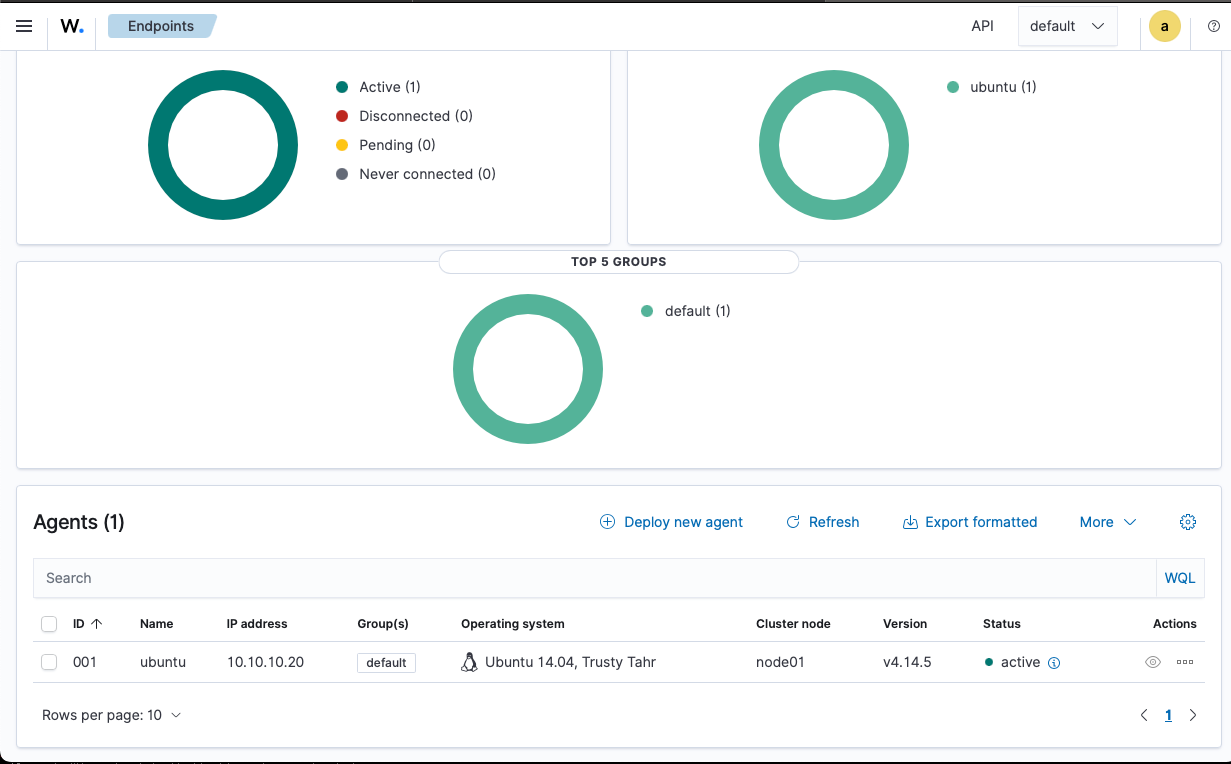
Added a SOC-side adapter to the Ubuntu VM, assigned 10.10.10.20, installed the
Wazuh agent, and confirmed the endpoint became active in the dashboard.
Step 3
Added a SOC-side adapter to the Windows 10 VM, assigned 10.10.10.30, installed
the Wazuh agent, and confirmed Windows telemetry appeared in Wazuh.
Step 4
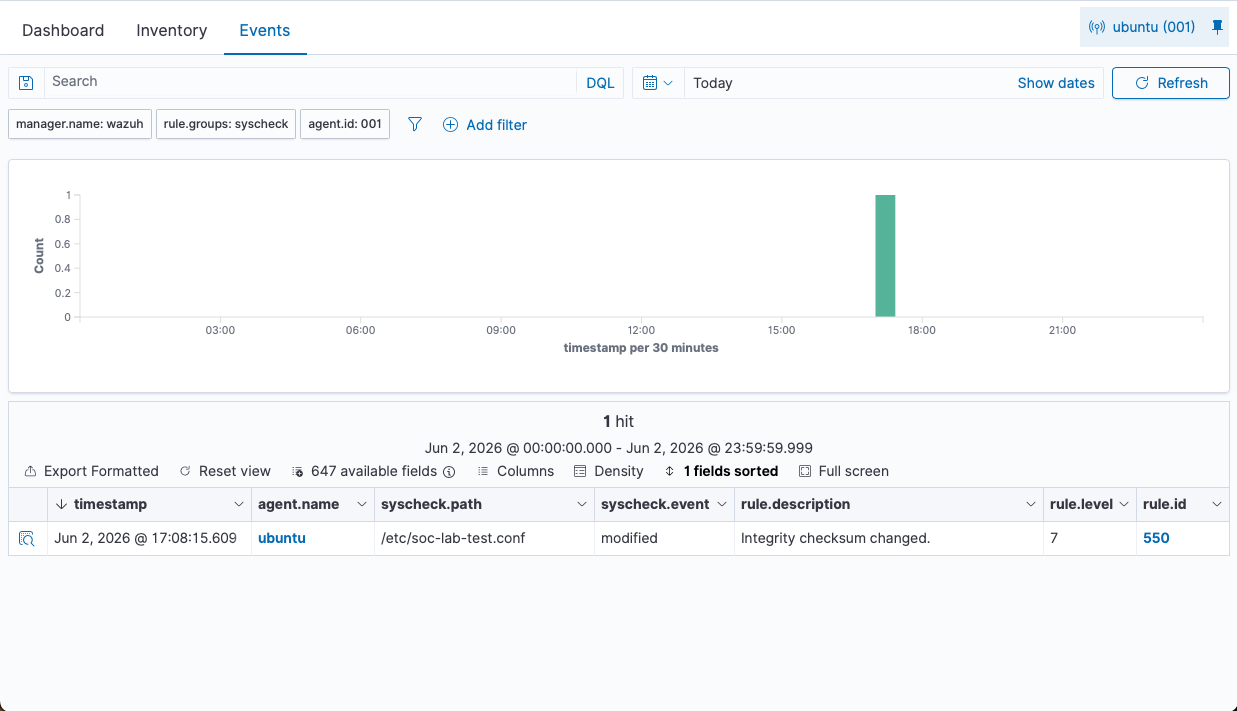
Generated controlled Linux and Windows events, then verified that Wazuh recorded the file integrity and failed logon activity.
Evidence
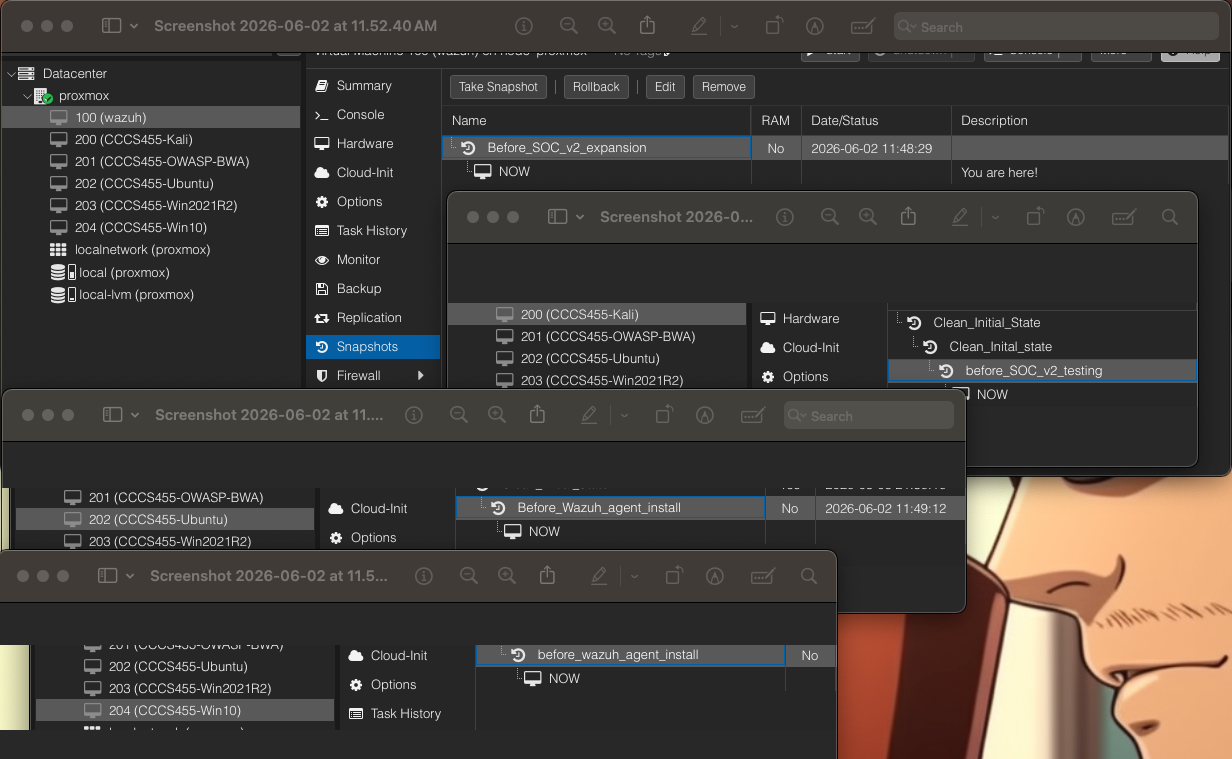
These screenshots show the SOC v2 network design, endpoint agent status, snapshots, Linux file integrity detection, and Windows failed logon detection.
/etc.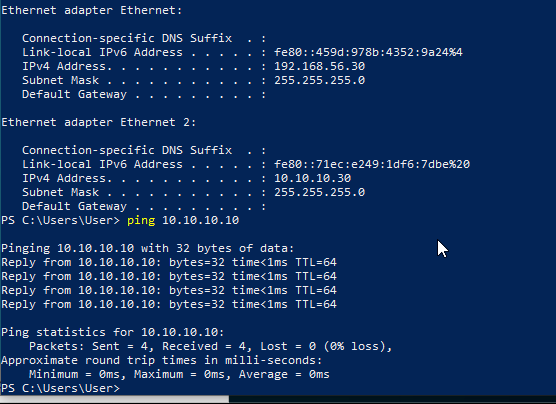
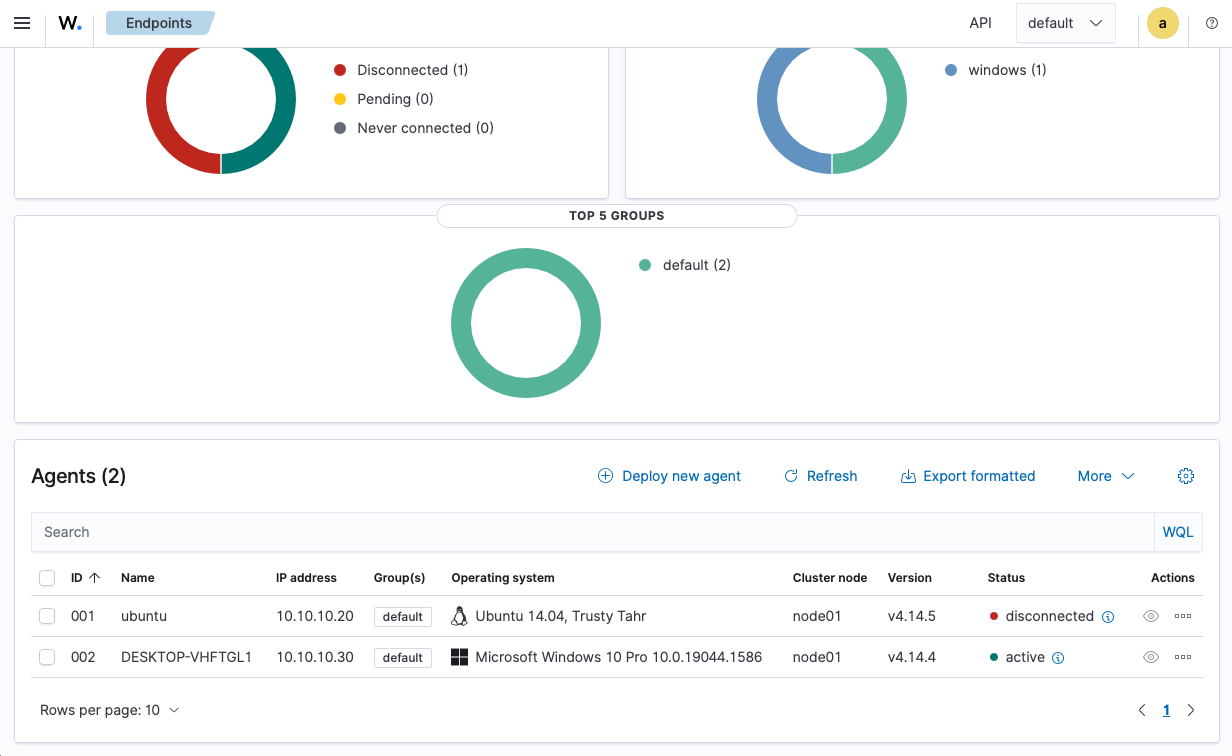
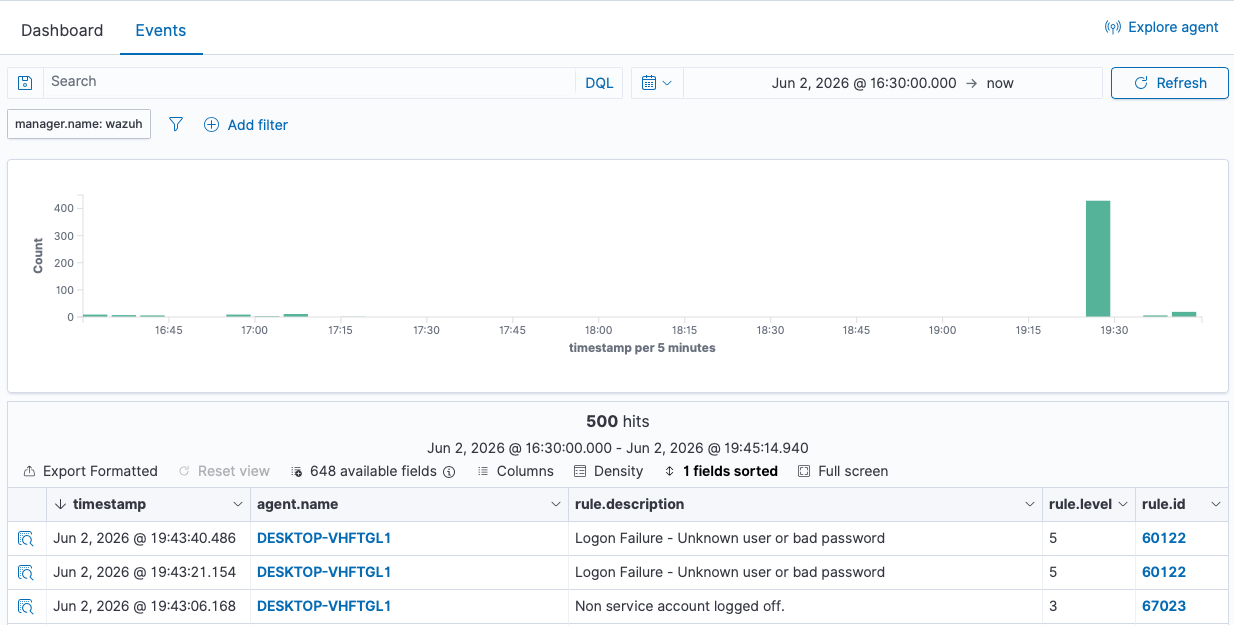
Detection Results
Modified /etc/soc-lab-test.conf and confirmed Wazuh detected an integrity checksum change.
Generated a controlled failed logon attempt and confirmed Wazuh recorded a logon failure event.
Confirmed both Linux and Windows endpoint telemetry reached the Wazuh dashboard.
Next Stage
Generate controlled scans from Kali against lab targets and compare what appears in Wazuh.
Write short SOC-style incident notes for each test event, including source, target, alert, and response.
Adjust Wazuh rules, monitored paths, and event views to make useful alerts easier to find.